Design Tracker v2.0 — GUI for CAD Version History, Print Logs, and Packages
A Tkinter GUI (and CLI) for tracking the evolution of FreeCAD hardware designs. Take snapshots, log prints, browse renders, attach camera photos of physical prints, and bundle everything into tracked packages.
The Problem
After a few days of iterating on a 3D model, you end up with a dozen FCStd files with names like Dilder_Rev2_Mk2Full parts so far with joystick model with battery assembly even closer joystick and pit refined and cradle curvature fixed pcbjoystick anchor.FCStd. Which one was the one you actually printed? What changed between the version from Tuesday and the one from Thursday? Did you ever try that wider inlay, and did it work?
The Design Tracker solves this by giving you a structured way to bookmark your progress, log your prints, browse renders, attach photos of physical parts, and package everything together for easy reference.
Quick Start
# Launch the GUI (default)
python3 tools/design-tracker/design-tracker.py

# Or use the CLI
python3 tools/design-tracker/design-tracker.py --cli
Dashboard
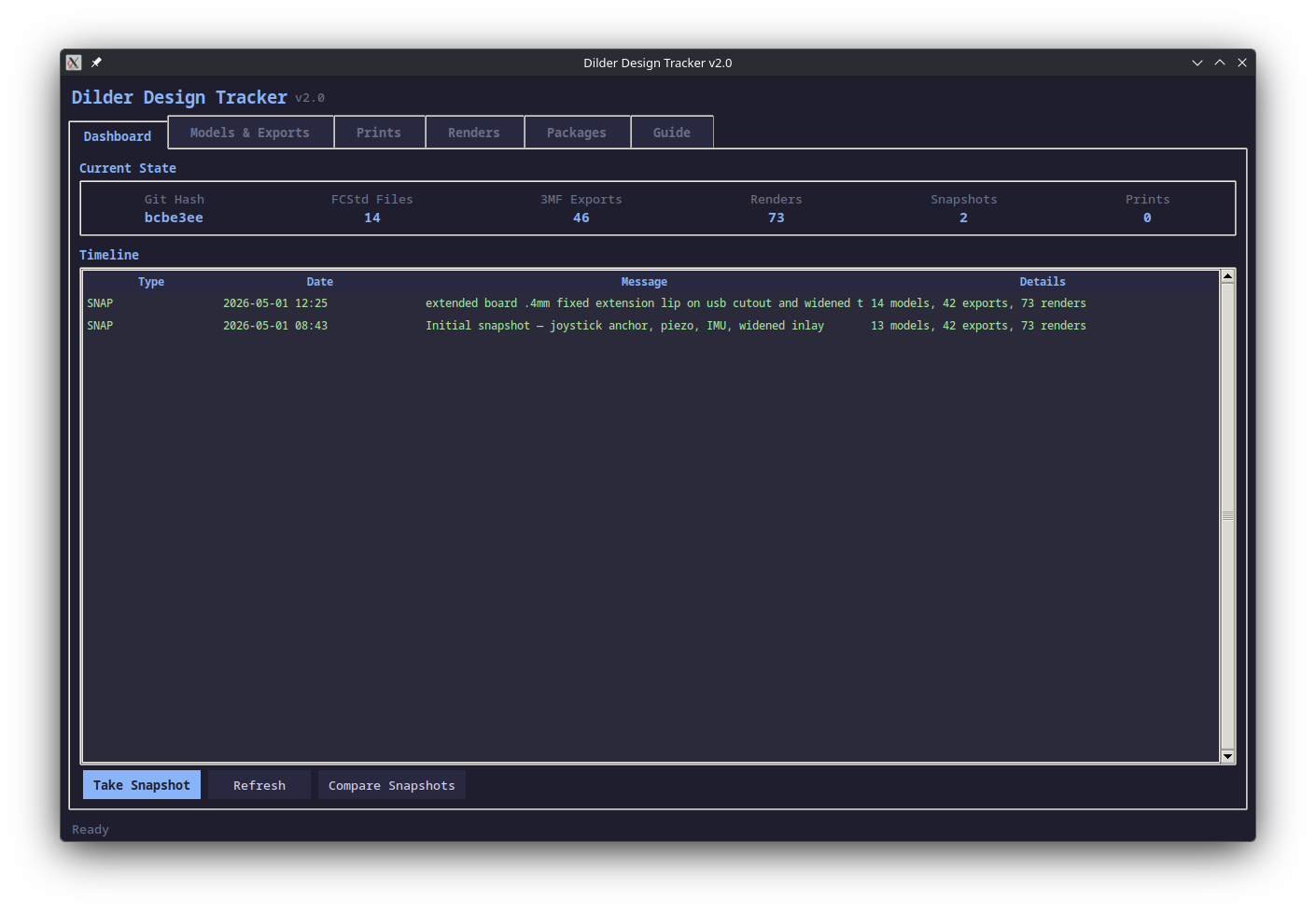
The Dashboard shows a live summary of your design state:
- Git Hash — current commit of the repository
- FCStd Files — number of FreeCAD model files in
freecad-mk2/ - 3MF Exports — number of sliceable 3MF exports
- Renders — number of PNG renders in
hardware-design/renders/ - Snapshots — number of saved design snapshots
- Prints — number of logged 3D prints
Timeline merges all snapshots, prints, and packages into a single chronological view with color coding: green for snapshots, magenta for prints, orange for packages.
Actions:
- Take Snapshot — saves file counts, hashes, git ref, and backs up the newest FCStd to
.design-tracker/snapshots/ - Refresh — re-scans all directories for changes
- Compare Snapshots — diff two snapshots side-by-side showing count deltas, hash changes, added/removed renders
Models & Exports
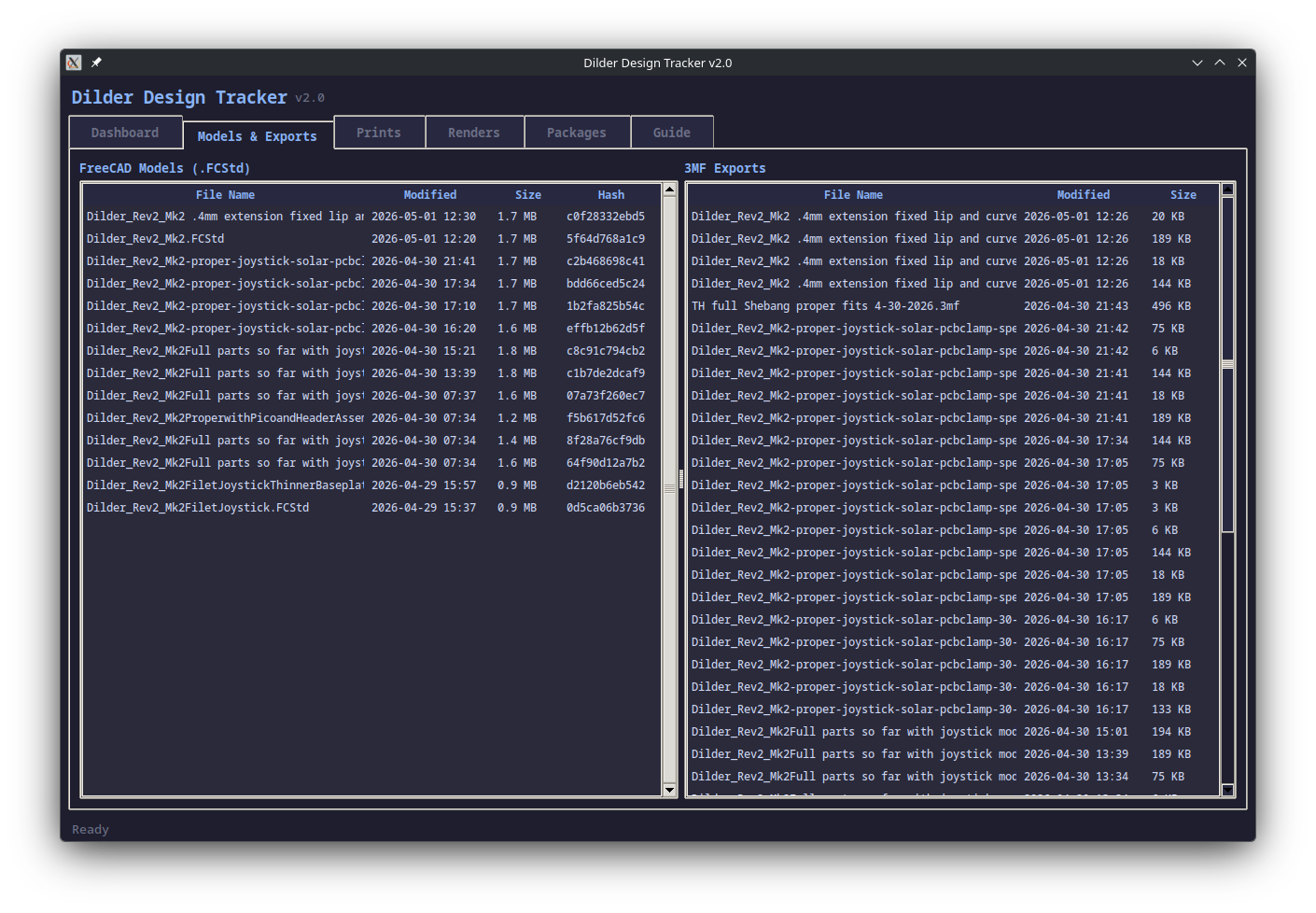
Two side-by-side tables:
FreeCAD Models (.FCStd):
- File name, modification date, file size, and MD5 hash
- Newest files appear first
- Hashes let you detect changes even when filenames are the same
3MF Exports:
- All 3MF files from
freecad-mk2/and the packages directory - Date and size for each export
- Select files here when logging a print or creating a package
Prints
Track every 3D print attempt with full context.
Log New Print:
- Enter a description of what you printed
- Select the result:
success,partial, orfailed - Add any notes about print settings or issues
- Select which 3MF files were used from the scan
- Optionally attach camera photos of the printout
Attach Photo to Print:
- Select a print entry in the table
- Click "Attach Photo" to add camera pictures (PNG/JPG)
- Photos are tracked by file path in the print record
Print Detail Panel:
- Click any print entry to see full details: files, notes, git hash, and attached photo paths
Renders
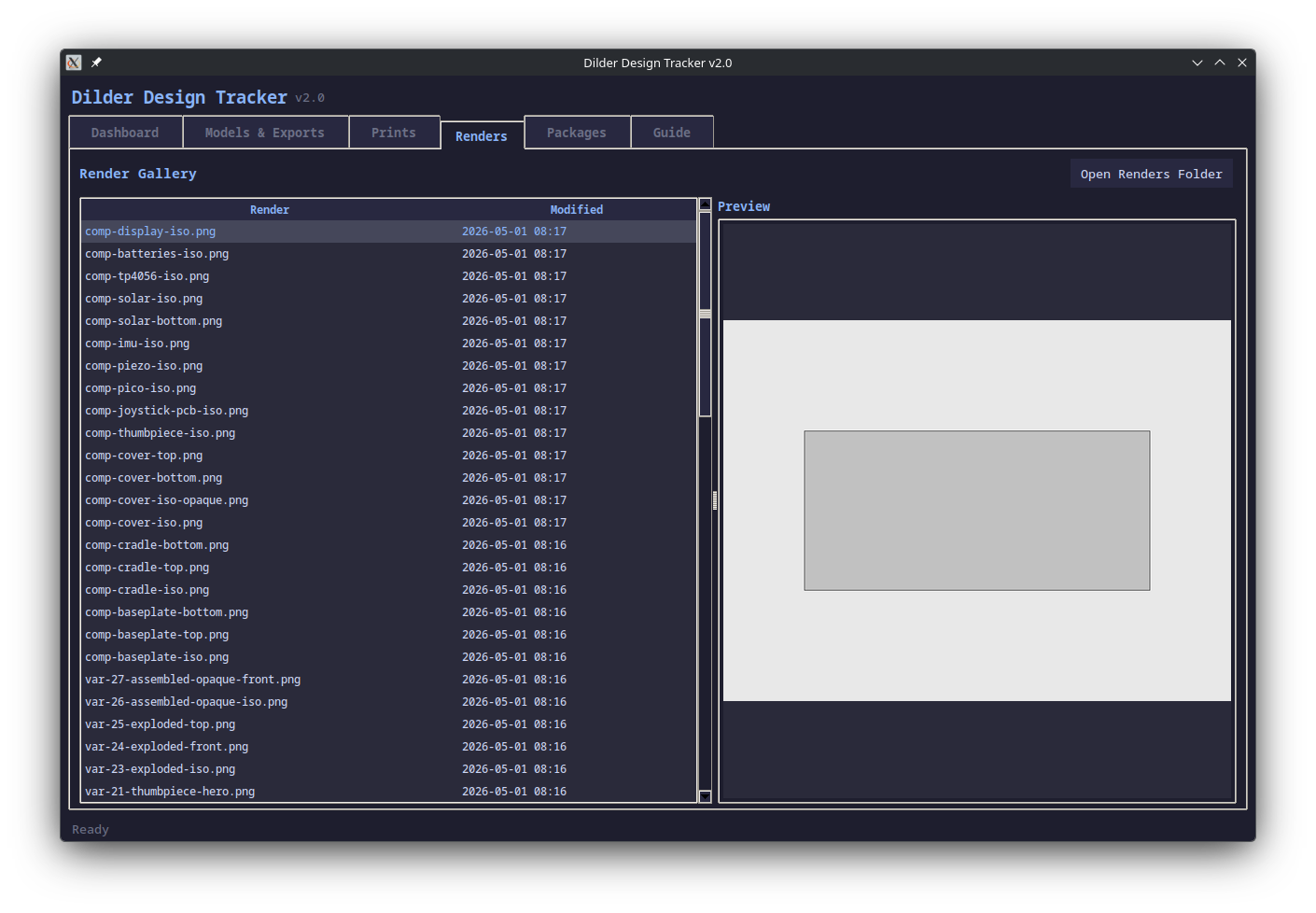
A gallery view of all render images in hardware-design/renders/:
- Left panel — list of all render PNGs sorted by modification date
- Right panel — live image preview of the selected render (requires Pillow)
- Open Renders Folder — launches your system file manager
These renders are generated by the Build & Render Tool which creates publication-quality orthographic and isometric views from the FreeCAD assembly.
Packages
Bundle related files into tracked folders for easy archival.
Creating a Package:
- Enter a descriptive name (e.g., "Rev2 Mk2 — widened USB cutout")
- Optionally link to a snapshot and/or print entry
- Select a FreeCAD model file to include
- Select 3MF export files to include
- Add render images from the renders folder
- Add camera photos of physical prints
- Write a changelog describing what changed
Each package creates a folder in .design-tracker/packages/ containing:
- The FCStd model file (frozen copy)
- Selected 3MF exports
renders/subfolder with selected render imagesphotos/subfolder with camera picturesCHANGES.mdwith your changelog, metadata, git hash, and file manifest
Guide
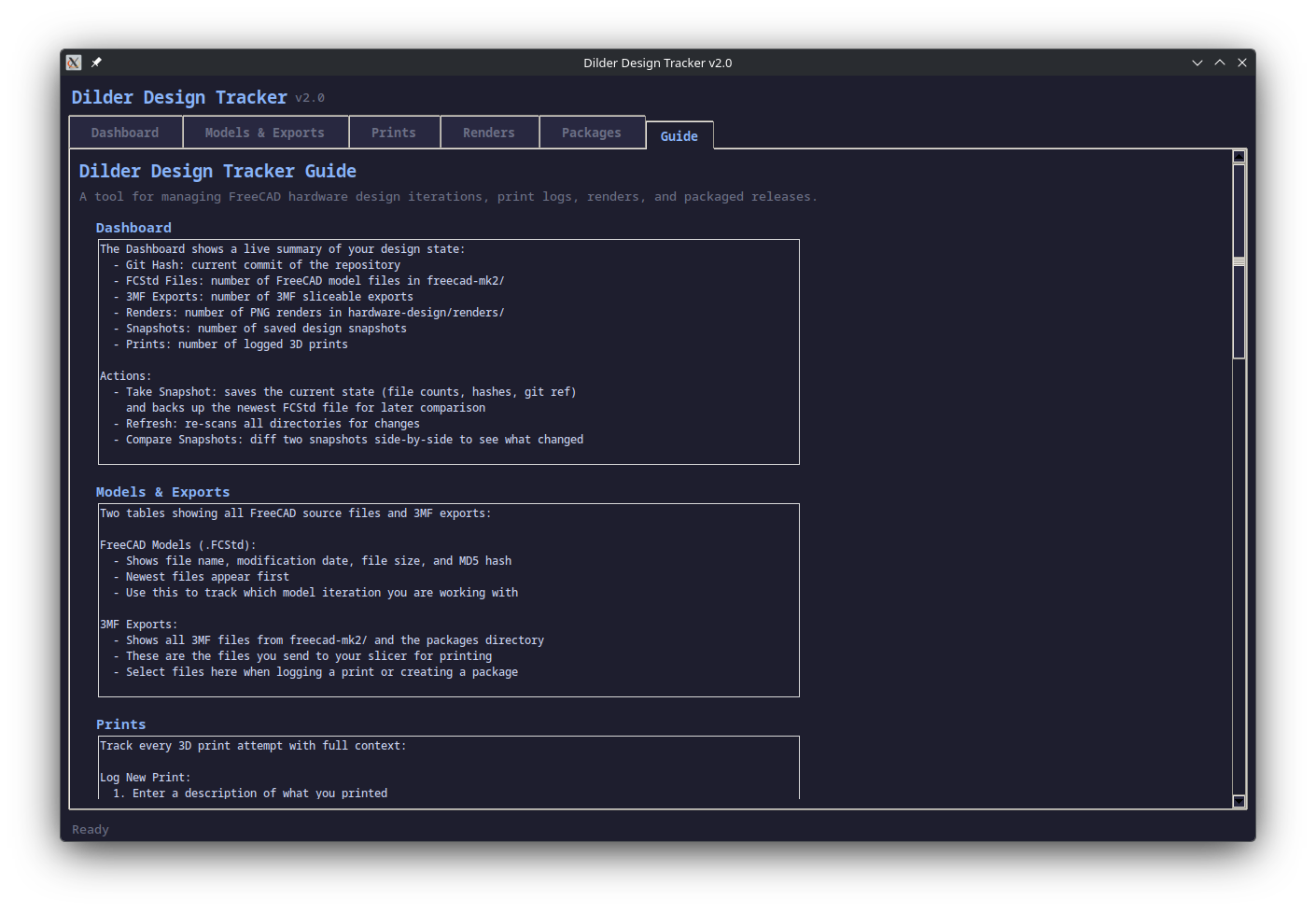
The built-in Guide tab covers every feature, the recommended design-print-review workflow, naming conventions, and CLI command reference — so you never have to leave the app to look things up.
Workflow: Design-Print-Review Cycle
graph TD
    A[Make changes in FreeCAD] --> B[Take Snapshot]
    B --> C[Export 3MF files]
    C --> D[Print and log the result]
    D --> E[Attach camera photos]
    E --> F[Create Package]
F --> G[Commit to git]- Make changes in FreeCAD (edit the macro, rebuild the model)
- Take a Snapshot (Dashboard tab) to record the current state
- Export 3MF files for printing
- Log the Print (Prints tab) with result and notes
- Take camera photos of the physical print
- Attach Photos to the print entry
- Create a Package linking the snapshot, print, renders, and photos
- Commit to git when satisfied
Naming Convention
Pattern: Dilder_Rev2_Mk2-<changes>-<DD-MM-YYYY-HHMM>.FCStd
Rules:
- Start with
Dilder_Rev2_Mk2- - List key changes in 2-4 words separated by hyphens
- End with date and time
- Lowercase with hyphens (no spaces)
- Take a snapshot after each significant change
Good: Dilder_Rev2_Mk2-joystick-anchor-piezo-30-04-2026-1617.FCStd
Avoid: Dilder_Rev2_Mk2Full parts so far with joystick model with battery assembly even closer joystick and pit refined and cradle curvature fixed pcbjoystick anchor.FCStd
CLI Commands
python3 design-tracker.py               # launch GUI (default)
python3 design-tracker.py --cli         # interactive terminal menu
python3 design-tracker.py snap "msg"    # quick snapshot
python3 design-tracker.py log           # show timeline
python3 design-tracker.py status        # current design state
python3 design-tracker.py diff 1 2      # compare snapshots 1 and 2
python3 design-tracker.py naming        # naming convention guide
Data Storage
tools/design-tracker/
  design-tracker.py          # main script (GUI + CLI)
  screenshots/               # GUI screenshots for docs
  .design-tracker/
    history.json             # all snapshots, prints, packages
    snapshots/
      snap-0001/             # FCStd backup from snapshot 1
      snap-0002/
    packages/
      pkg-0001_2026-05-01_1430_widened-usb/
        Dilder_Rev2_Mk2.FCStd
        *.3mf
        renders/             # selected render PNGs
        photos/              # camera pictures of prints
        CHANGES.md           # changelog + file manifest
Dependencies
- Python 3.8+
- tkinter (standard library)
- Pillow (
pip install Pillow) — for render image previews in the gallery